
Clickable Source
v20.0
Extra Tools
1. Module helps to open source record from receipt/picking/MO Orders.


Module index

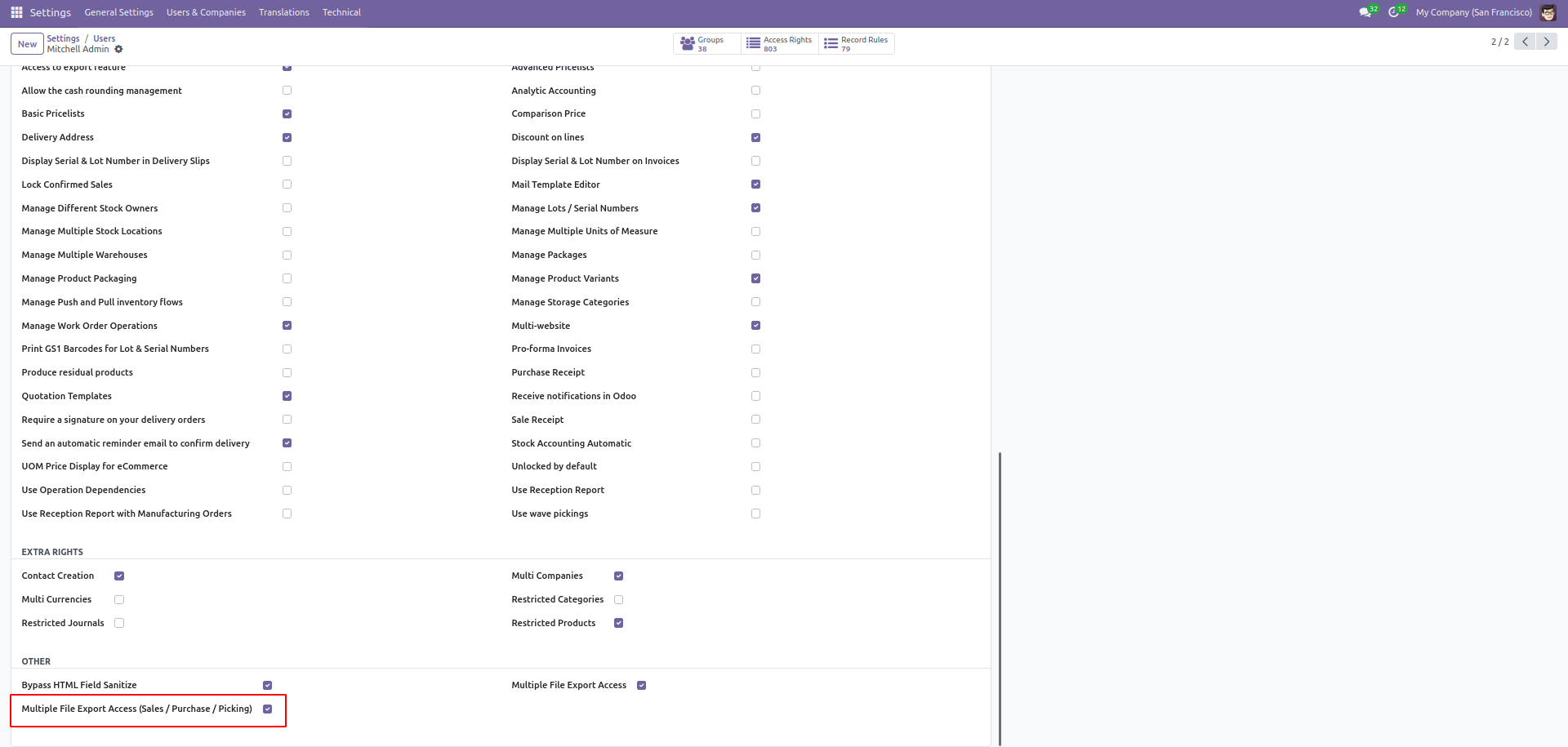
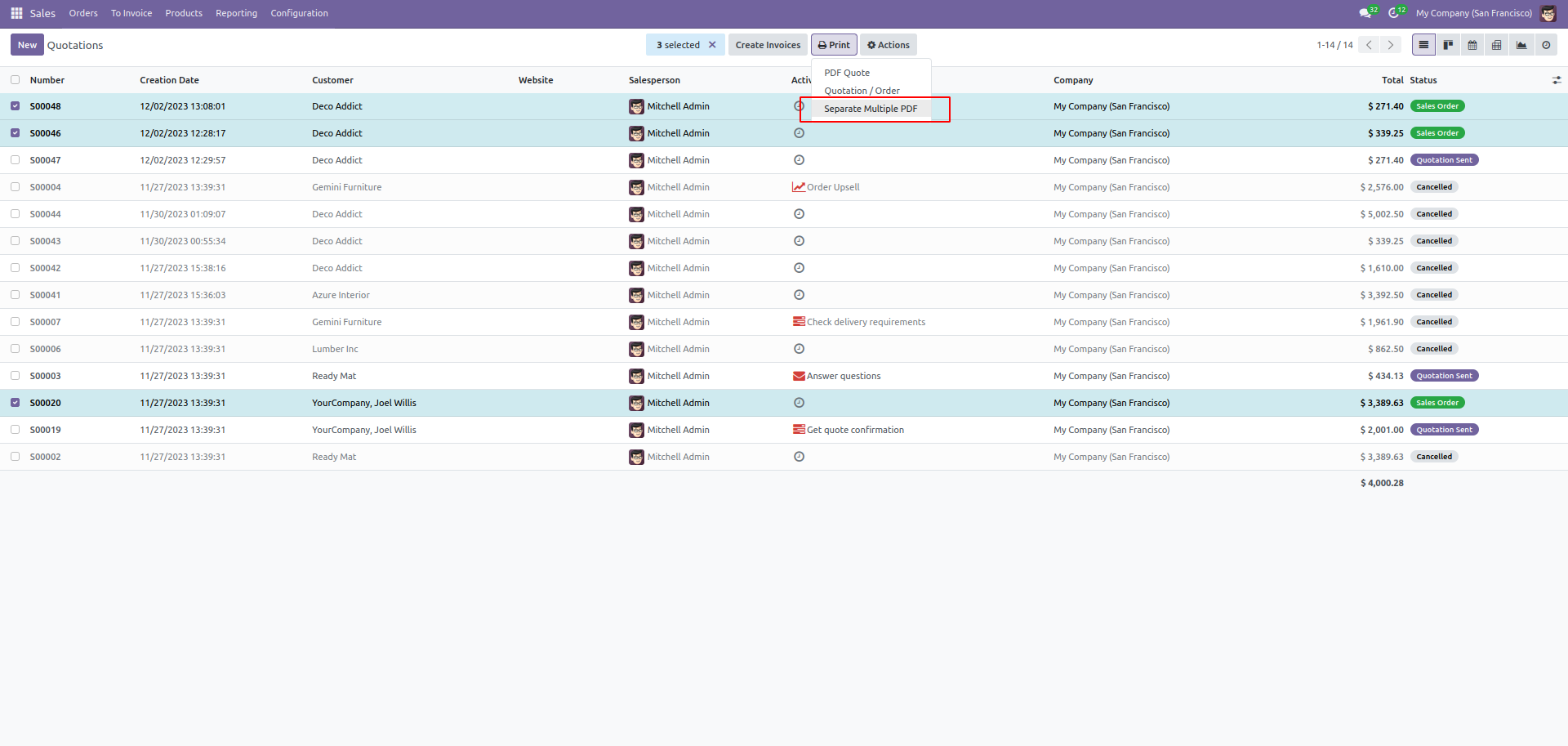
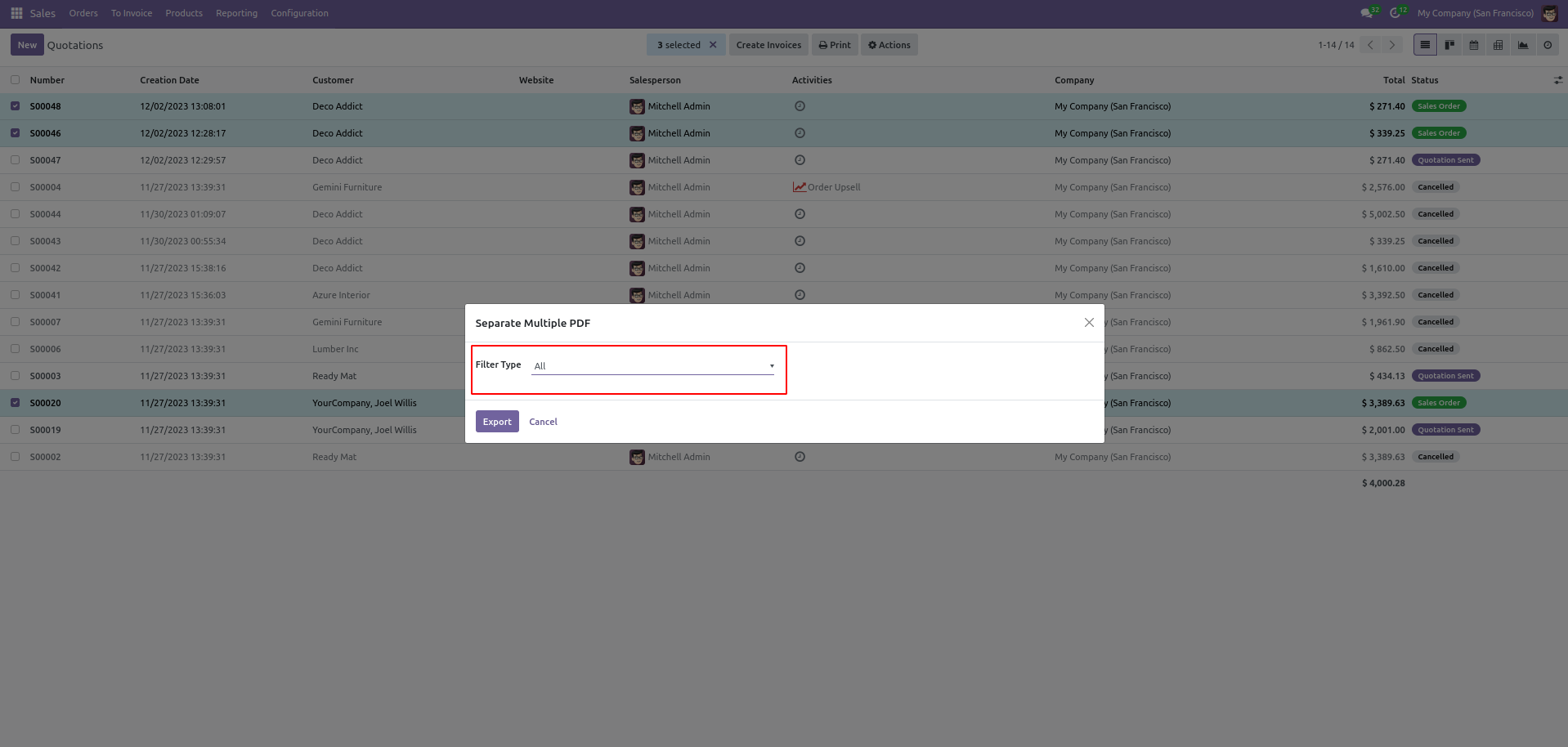
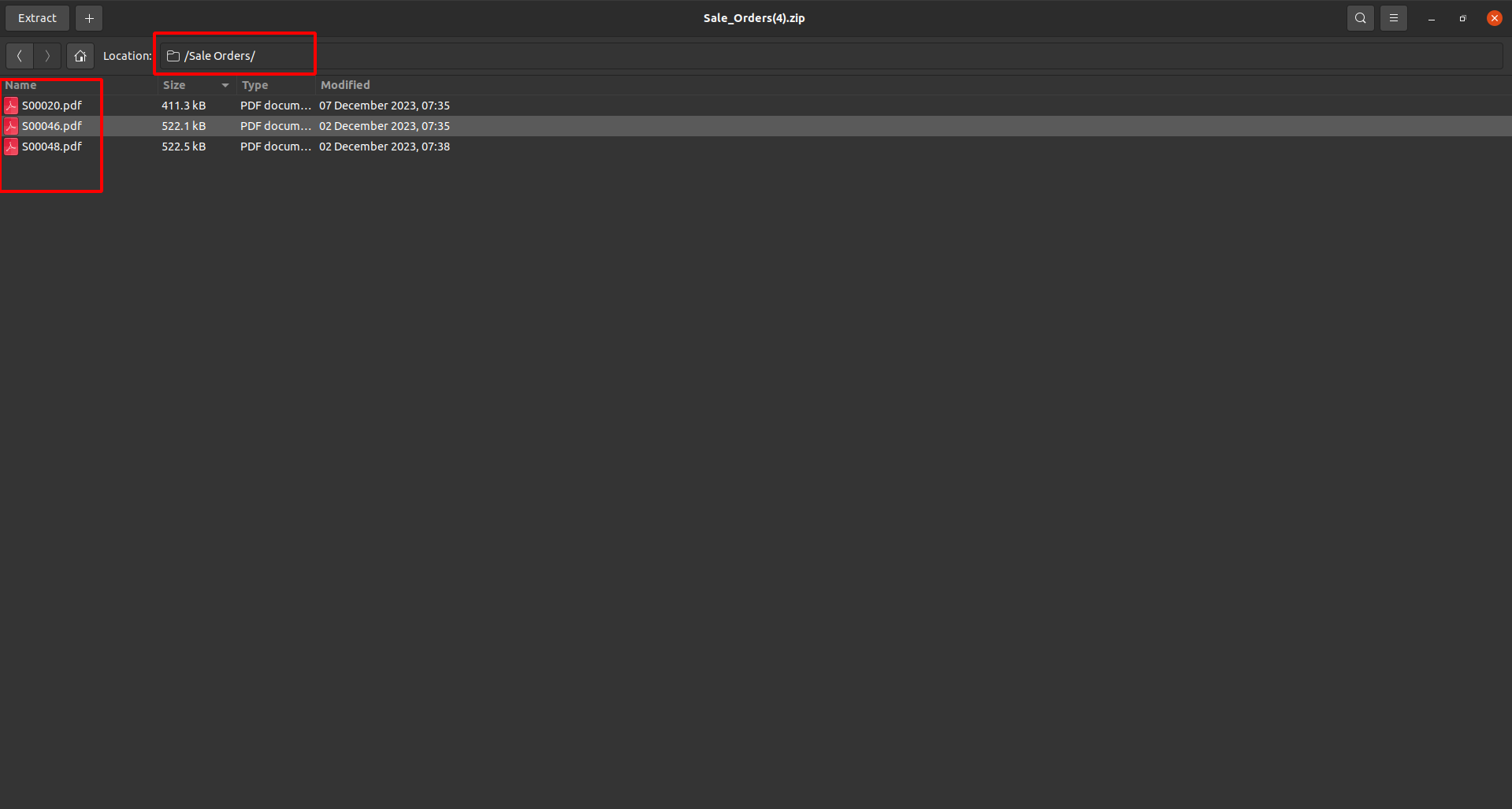
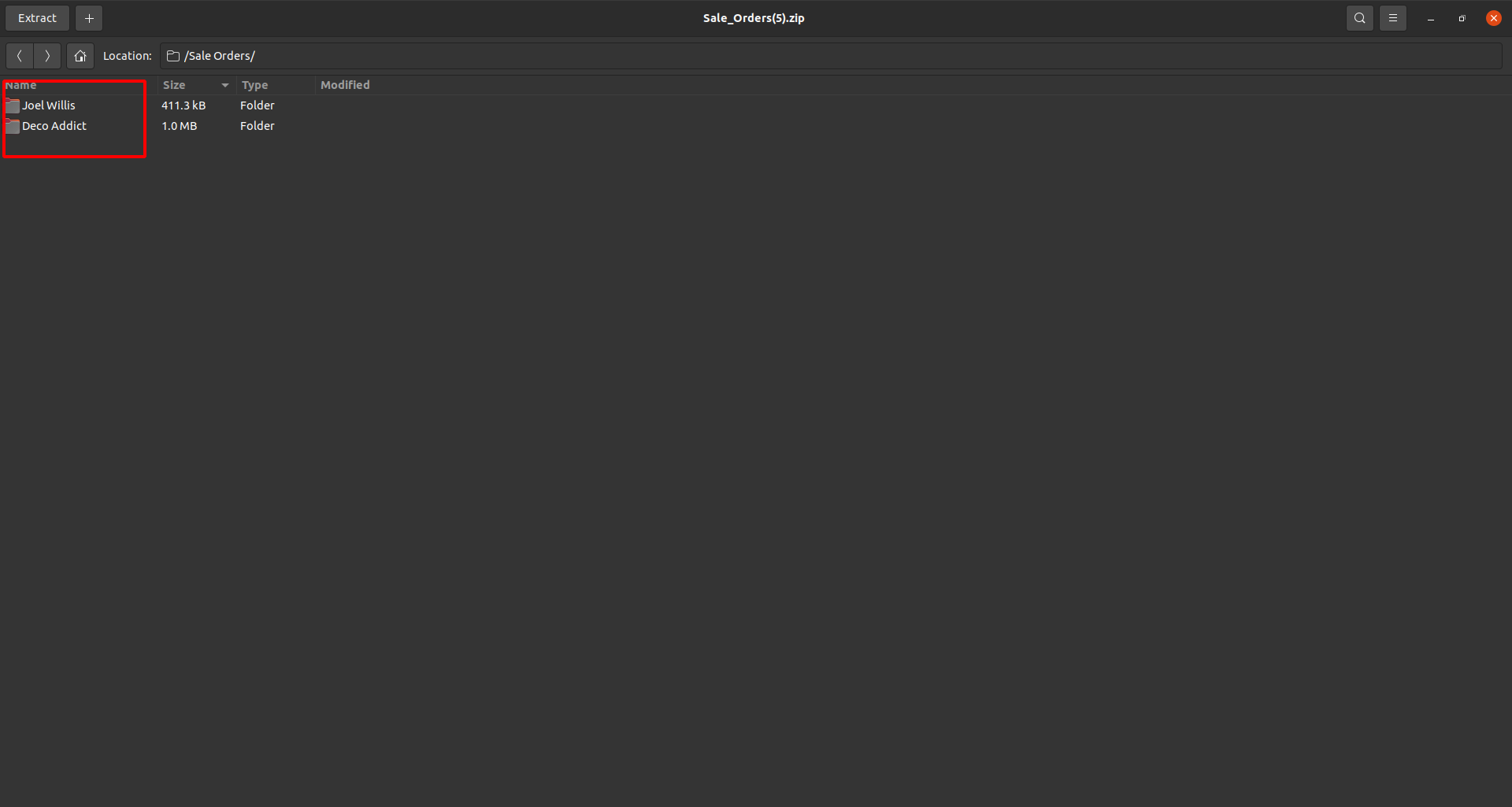
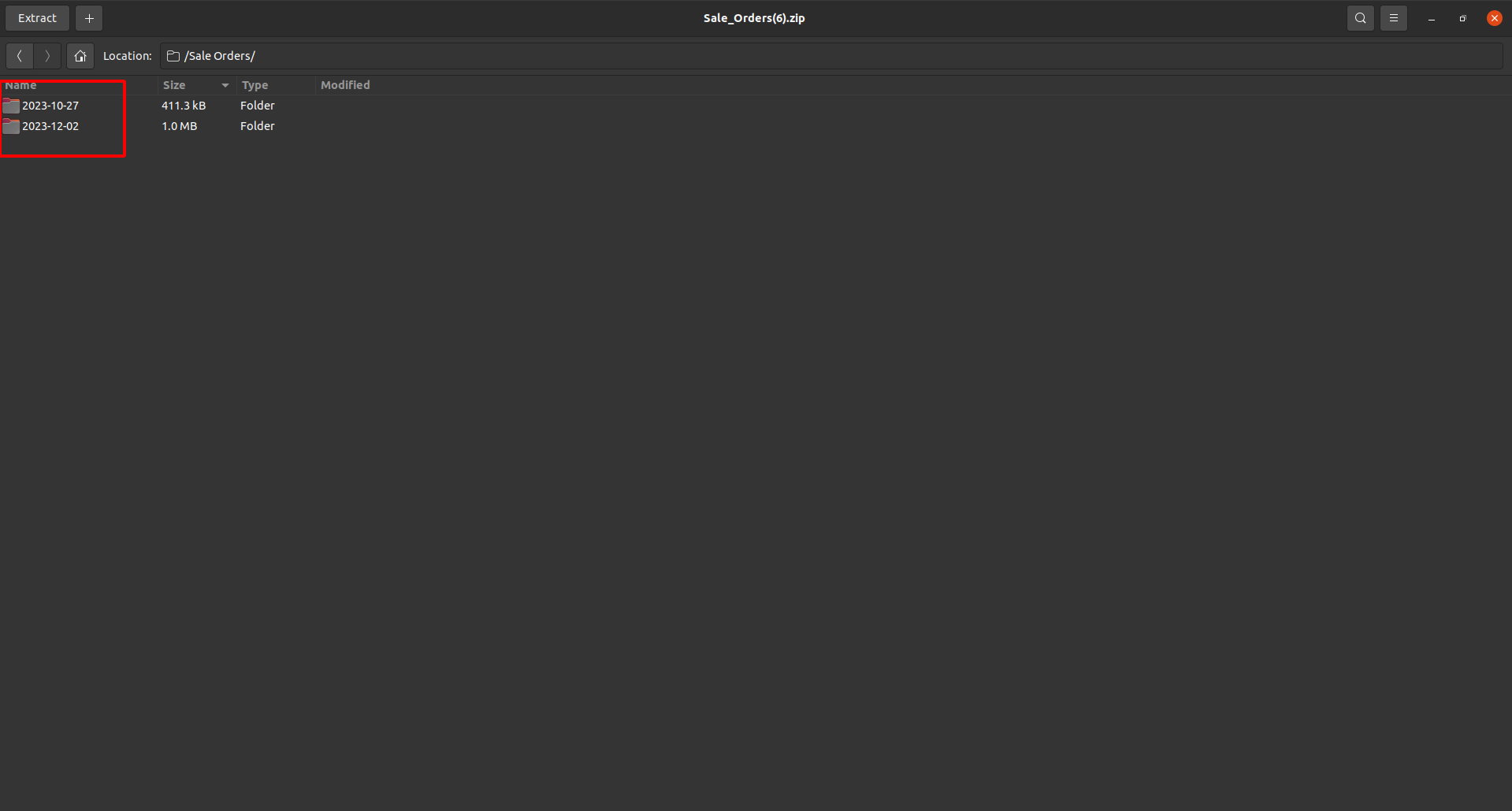
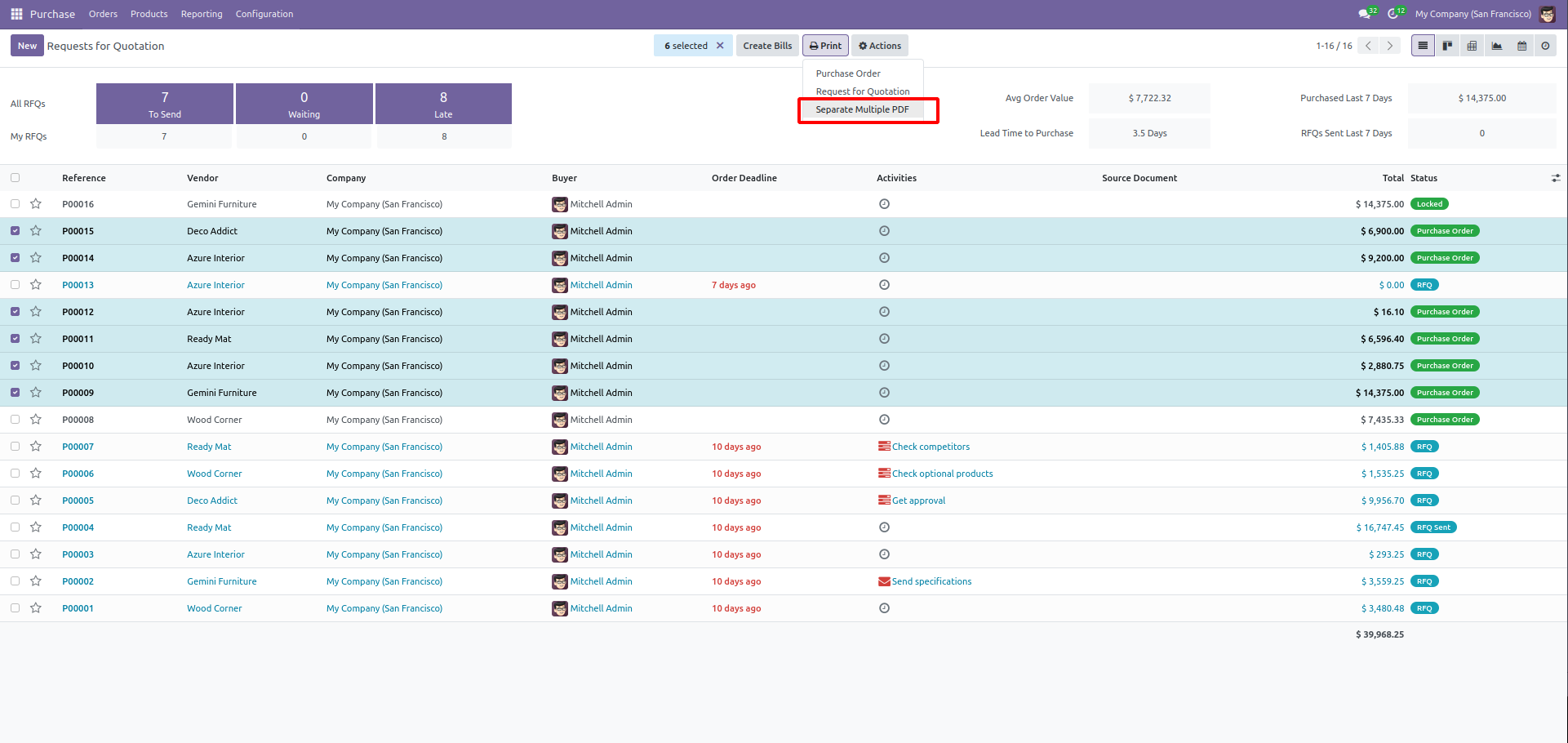
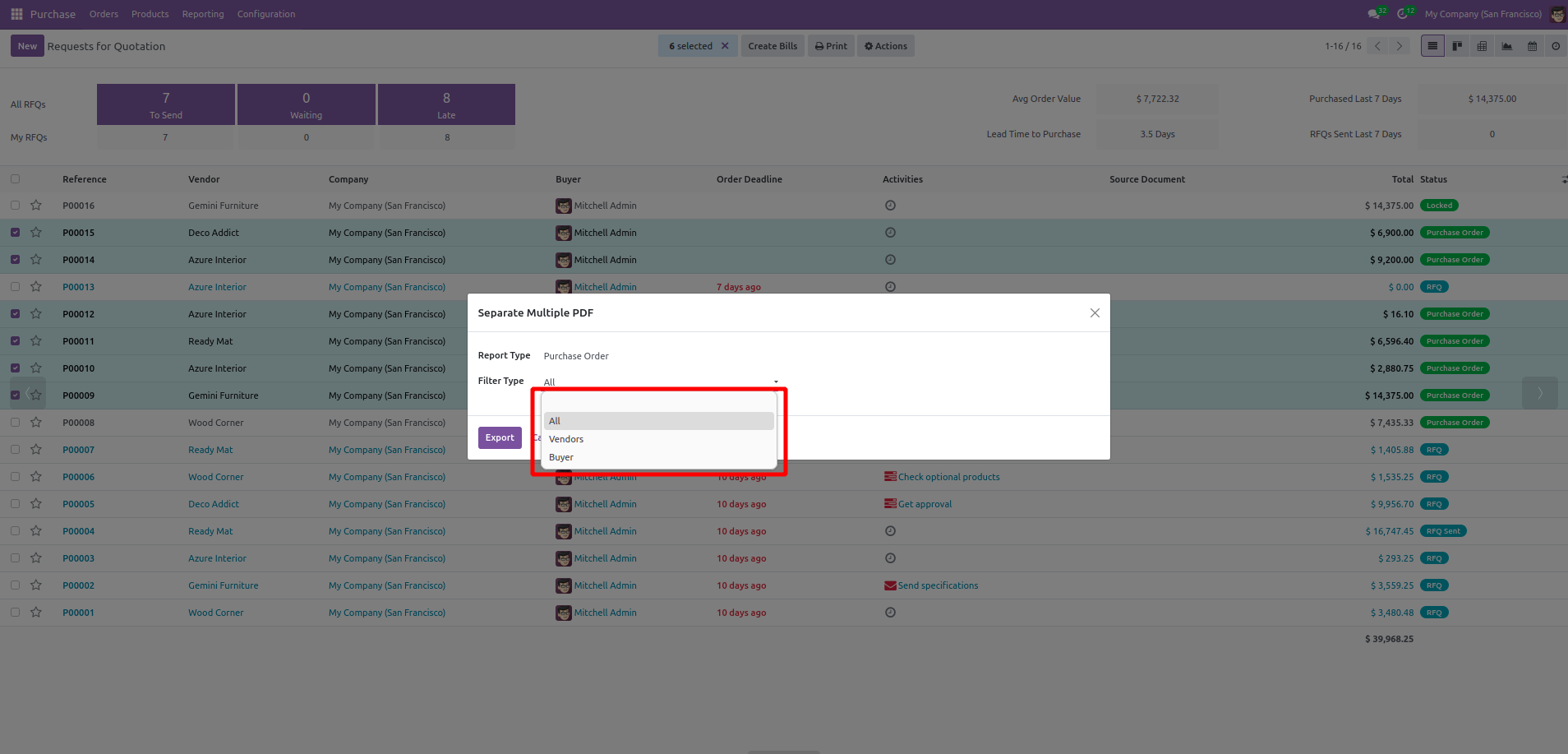
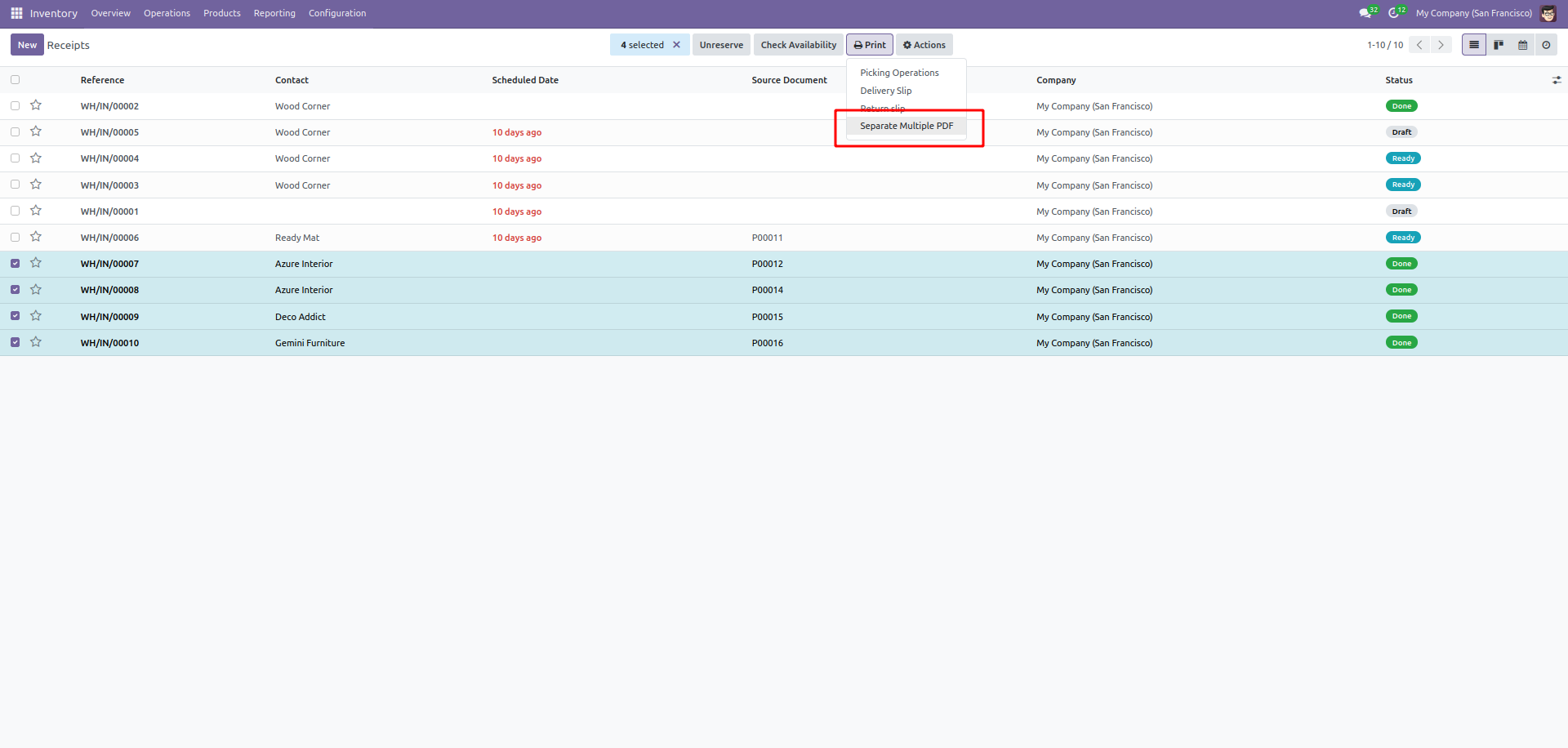
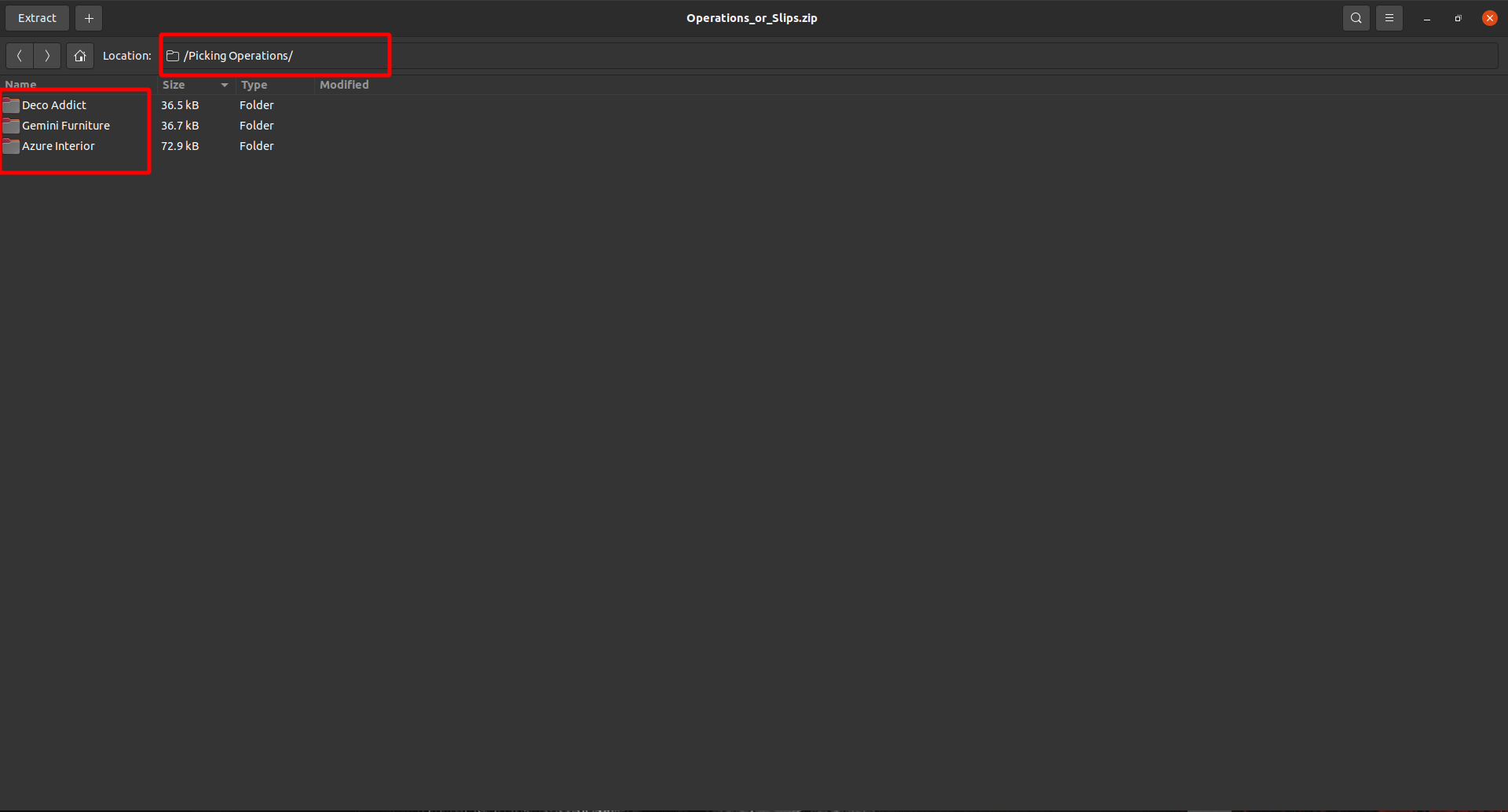
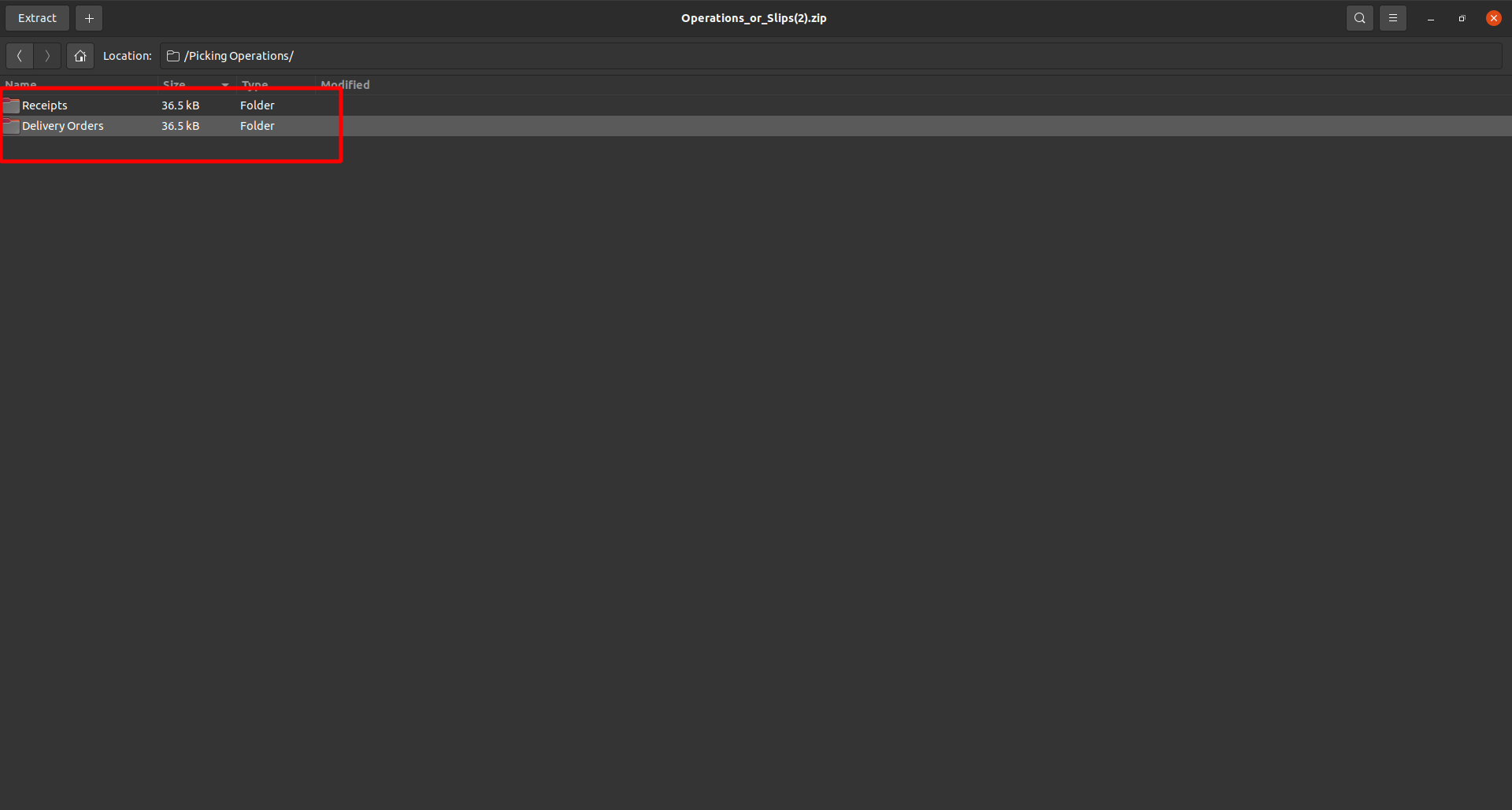
This Odoo application seamlessly transforms the process of document generation and exportation, focusing primarily on sales quotations, orders, RFQs (Request for Quotation), and purchase orders, all in the universally accessible PDF format. The system streamlines the entire document lifecycle, enhancing efficiency by automating the creation and distribution processes. Users benefit from the ability to simultaneously generate multiple sales quotations, orders, RFQs, and purchase orders, significantly saving time and reducing manual effort. The application also introduces a structured organization system, allowing generated PDFs to be neatly arranged in folders with customizable filters. This organizational feature simplifies document retrieval and access, offering users the convenience of sorting files based on relevant criteria. In essence, this application not only enhances the speed and accuracy of document management but also provides a user-friendly platform for efficient collaboration and streamlined workflow.
No additional configuration required
Legal
Odoo Proprietary License v1.0 This software and associated files (the "Software") may only be used (executed, modified, executed after modifications) if you have purchased a valid license from the authors, typically via Odoo Apps, or if you have received a written agreement from the authors of the Software (see the COPYRIGHT file). You may develop Odoo modules that use the Software as a library (typically by depending on it, importing it and using its resources), but without copying any source code or material from the Software. You may distribute those modules under the license of your choice, provided that this license is compatible with the terms of the Odoo Proprietary License (For example: LGPL, MIT, or proprietary licenses similar to this one). It is forbidden to publish, distribute, sublicense, or sell copies of the Software or modified copies of the Software. The above copyright notice and this permission notice must be included in all copies or substantial portions of the Software. THE SOFTWARE IS PROVIDED "AS IS", WITHOUT WARRANTY OF ANY KIND, EXPRESS OR IMPLIED, INCLUDING BUT NOT LIMITED TO THE WARRANTIES OF MERCHANTABILITY, FITNESS FOR A PARTICULAR PURPOSE AND NONINFRINGEMENT. IN NO EVENT SHALL THE AUTHORS OR COPYRIGHT HOLDERS BE LIABLE FOR ANY CLAIM, DAMAGES OR OTHER LIABILITY, WHETHER IN AN ACTION OF CONTRACT, TORT OR OTHERWISE, ARISING FROM, OUT OF OR IN CONNECTION WITH THE SOFTWARE OR THE USE OR OTHER DEALINGS IN THE SOFTWARE
Terms
By purchasing an app from OdooSphere, the customer agrees to the following terms.
All payments must be completed immediately through the website checkout. Orders are processed only after successful payment confirmation from the payment provider.
After payment confirmation, the purchased module will be delivered digitally as a ZIP file through email or the customer portal, where applicable.
Each purchased app includes 90 days of free support from the purchase date.
Apps are provided for the Odoo versions mentioned on the product page. The customer is responsible for selecting the correct Odoo version before purchase.
Since apps are digital products delivered after payment, purchases are generally non-refundable. Refunds may be considered only if payment was duplicated, the ZIP file was not delivered, or the app cannot work on the listed compatible Odoo version due to a confirmed issue in the delivered module.
The purchased app is licensed for use by the purchasing customer or company. Reselling, redistributing, publishing, or sharing the module with third parties is not allowed without written permission from OdooSphere.
Free updates are not guaranteed unless specifically mentioned on the product page. Bug fixes within the 90-day support period may be provided when the issue is confirmed to be caused by the purchased app.
OdooSphere is not responsible for business losses, data loss, downtime, third-party service issues, or problems caused by incorrect installation, custom changes, or incompatible modules.
Related modules
1. Module helps to open source record from receipt/picking/MO Orders.

1. Allow user to select different warehouse on Sales order line. 2. Generate Delivery orders based on the warehouse selected. 3. User can see the warehouse on Pdf Report, Sales analysis report, Customer portal view.

1. Customizable Delivery Timelines: Tailor delivery timelines for each order, considering factors such as customer preferences, urgency, and delivery constraints. 2. Order Prioritization: Prioritize orders based on their lead times and delivery deadlines, ensuring timely fulfillment and customer satisfaction.
Reviews
Logged-in users can ask questions, discuss implementation details, and rate this module. Your rating updates the app score across the marketplace.