
POS Warehouse Routing
v20.0
Point of Sale
Route POS order lines from selected warehouses and internal stock locations


Module index
Capture customer signatures and keep them with POS receipts and orders.
Let customers sign on the POS payment screen using a finger, stylus or mouse. Save the handwritten PNG with the order and display it on the customer receipt. Review the same signature on the read-only backend order form.
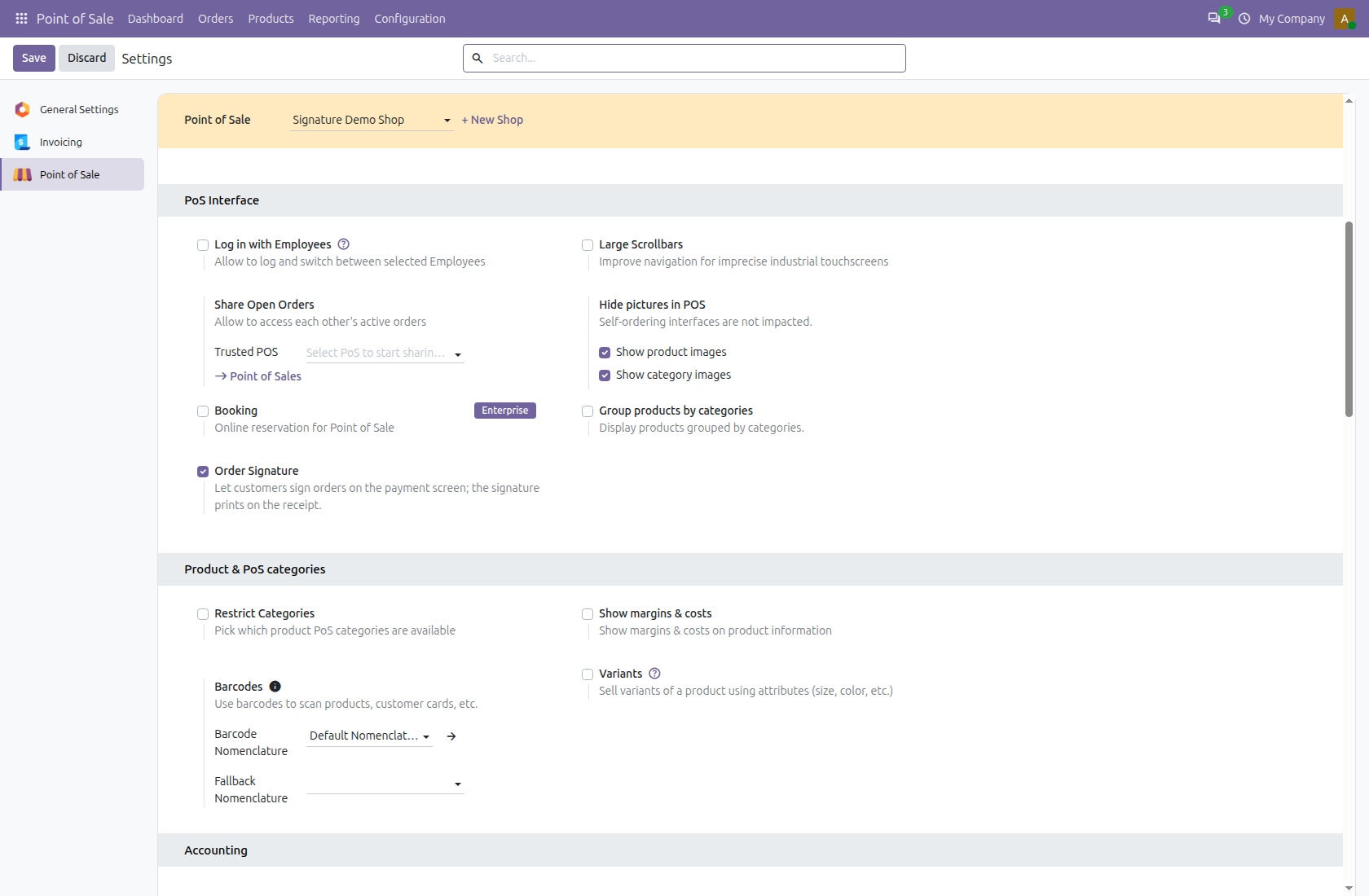
Open Point of Sale â Configuration â Settings, choose the shop and find Order Signature in PoS Interface. It is enabled by default. Save settings and reload any open POS after a configuration change. A signature is optional; the normal payment workflow remains available.
Screenshots show the shared signing flow in Odoo 20. Odoo 19 follows its native payment and receipt interface.
Choose the shop in Point of Sale settings. Order Signature is enabled by default. Disable it to hide the capture button, while keeping existing signatures visible on receipts and backend orders.
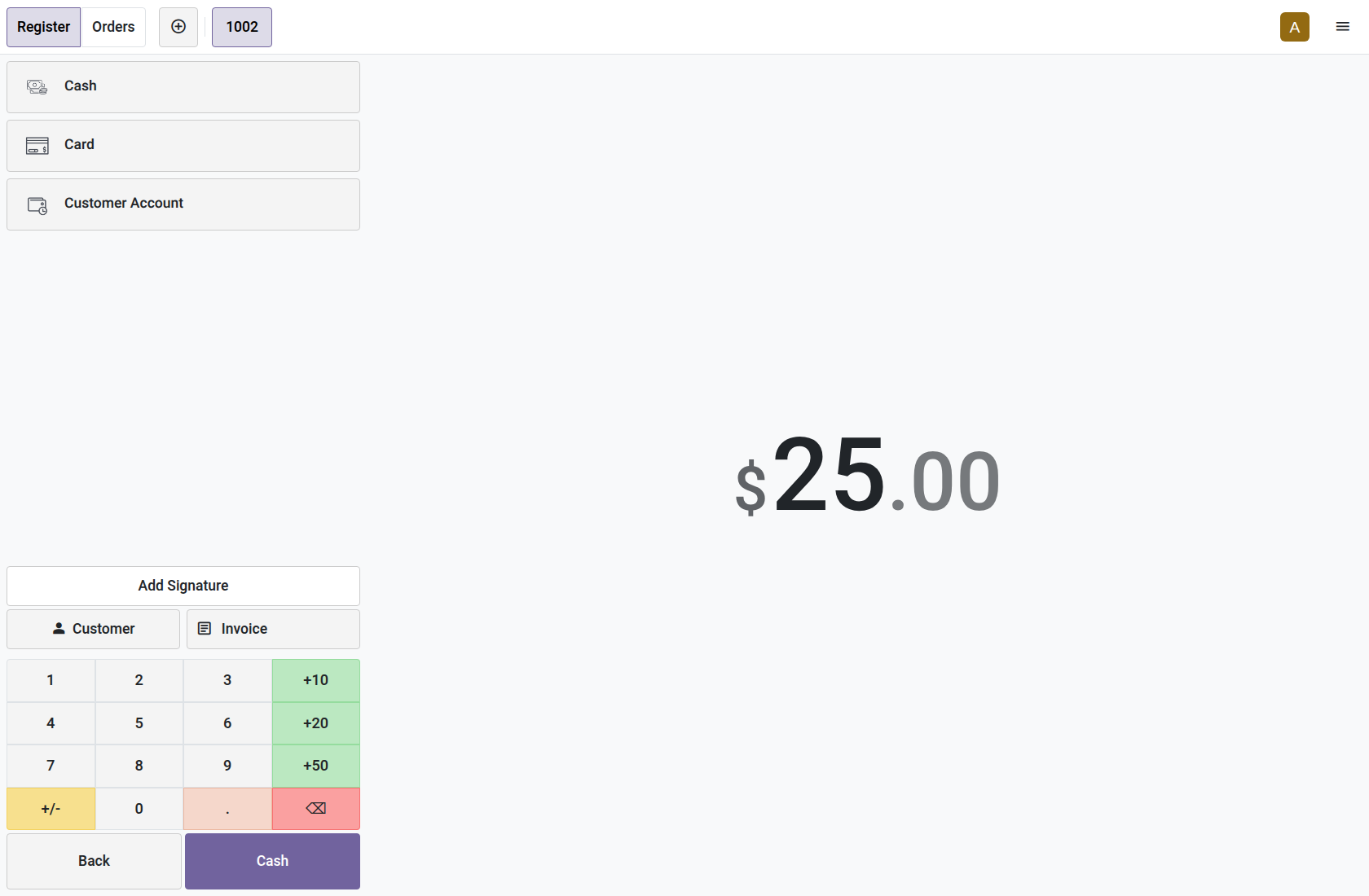
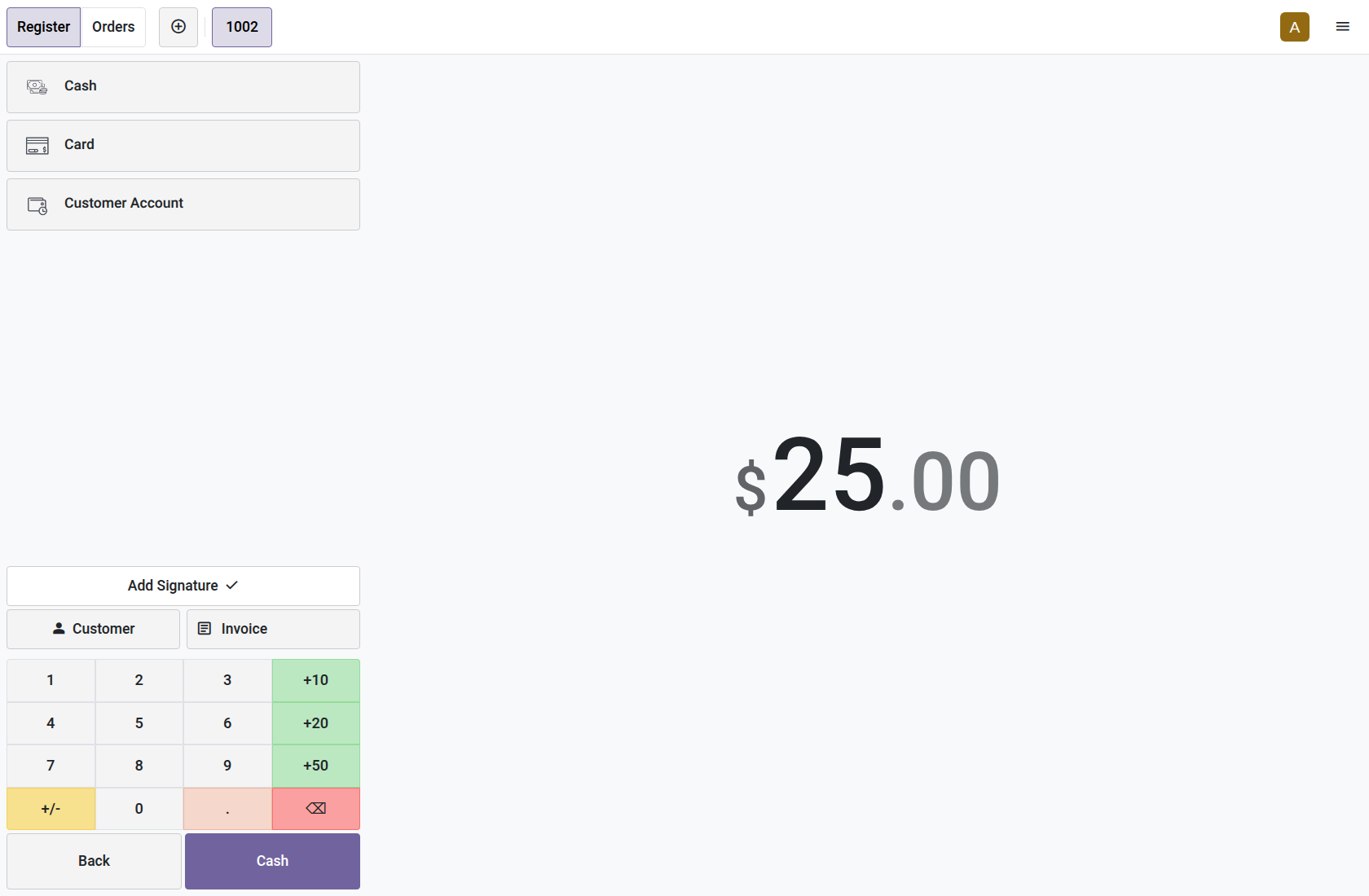
Create a POS order and continue to Payment. Add Signature appears below the payment methods and above the customer controls. This example sells one Signature Demo Notebook for $25. Refund orders hide the button.
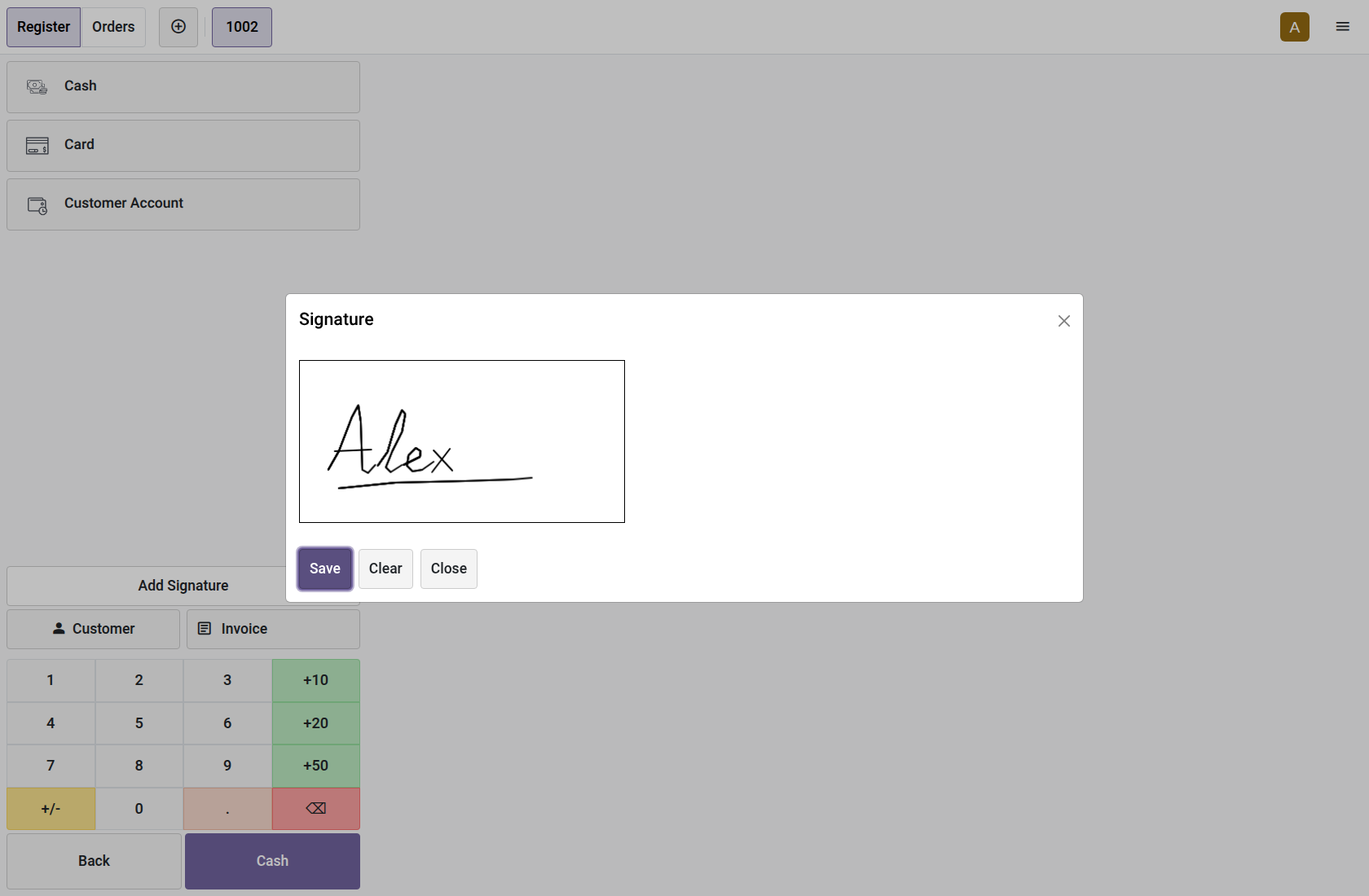
Tap Add Signature and draw with a finger, stylus or mouse. Save applies the drawing; Clear empties the pad. Close or the header à discards unsaved edits. Saving an empty pad shows a warning and keeps the dialog open.
After Save, the button keeps its caption and shows a check mark. Reopen the pad to replace the signature if needed. Drawing and saving require no extra network request; the image stays with the local order until normal POS sync succeeds.
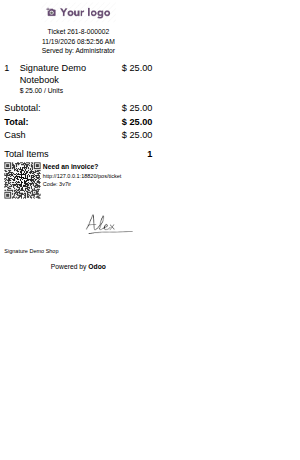
Complete the normal payment. The native receipt includes the signature below the payment information. In Odoo 20, use Print â Full Receipt from the payment confirmation to generate this receipt. Odoo 18 and 19 show it on their receipt screen. The same receipt pipeline supplies print and email receipts.
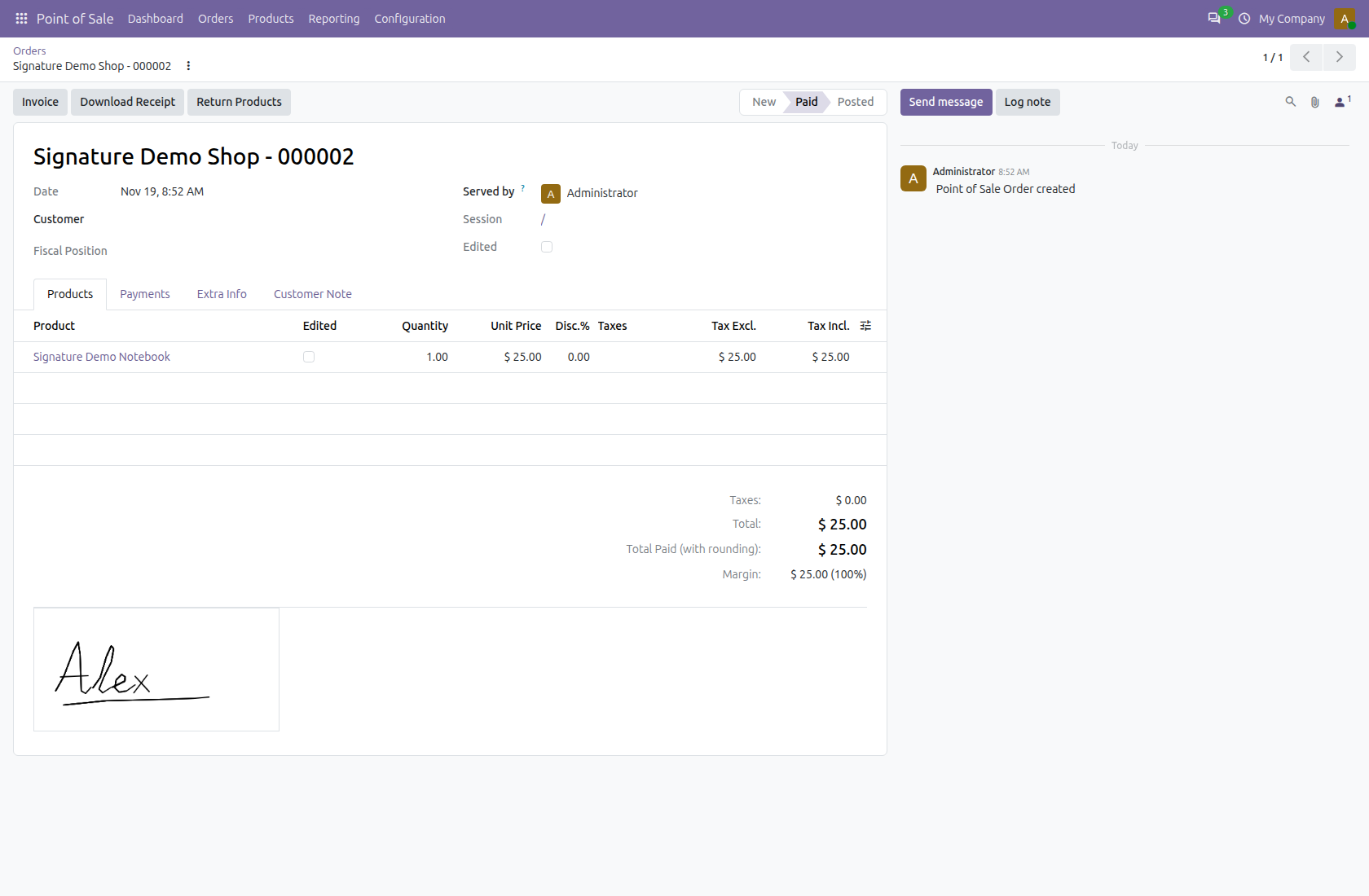
Open Point of Sale â Orders â Orders. The signature appears read-only below the order tabs. Enable the optional Signed list column or use Signed and Not Signed filters. Duplicating an order does not copy its signature.
Legal
Odoo Proprietary License v1.0 This software and associated files (the "Software") may only be used (executed, modified, executed after modifications) if you have purchased a valid license from the authors, typically via Odoo Apps, or if you have received a written agreement from the authors of the Software (see the COPYRIGHT file). You may develop Odoo modules that use the Software as a library (typically by depending on it, importing it and using its resources), but without copying any source code or material from the Software. You may distribute those modules under the license of your choice, provided that this license is compatible with the terms of the Odoo Proprietary License (For example: LGPL, MIT, or proprietary licenses similar to this one). It is forbidden to publish, distribute, sublicense, or sell copies of the Software or modified copies of the Software. The above copyright notice and this permission notice must be included in all copies or substantial portions of the Software. THE SOFTWARE IS PROVIDED "AS IS", WITHOUT WARRANTY OF ANY KIND, EXPRESS OR IMPLIED, INCLUDING BUT NOT LIMITED TO THE WARRANTIES OF MERCHANTABILITY, FITNESS FOR A PARTICULAR PURPOSE AND NONINFRINGEMENT. IN NO EVENT SHALL THE AUTHORS OR COPYRIGHT HOLDERS BE LIABLE FOR ANY CLAIM, DAMAGES OR OTHER LIABILITY, WHETHER IN AN ACTION OF CONTRACT, TORT OR OTHERWISE, ARISING FROM, OUT OF OR IN CONNECTION WITH THE SOFTWARE OR THE USE OR OTHER DEALINGS IN THE SOFTWARE
Terms
By purchasing an app from OdooSphere, the customer agrees to the following terms.
All payments must be completed immediately through the website checkout. Orders are processed only after successful payment confirmation from the payment provider.
After payment confirmation, the purchased module will be delivered digitally as a ZIP file through email or the customer portal, where applicable.
Each purchased app includes 90 days of free support from the purchase date.
Apps are provided for the Odoo versions mentioned on the product page. The customer is responsible for selecting the correct Odoo version before purchase.
Since apps are digital products delivered after payment, purchases are generally non-refundable. Refunds may be considered only if payment was duplicated, the ZIP file was not delivered, or the app cannot work on the listed compatible Odoo version due to a confirmed issue in the delivered module.
The purchased app is licensed for use by the purchasing customer or company. Reselling, redistributing, publishing, or sharing the module with third parties is not allowed without written permission from OdooSphere.
Free updates are not guaranteed unless specifically mentioned on the product page. Bug fixes within the 90-day support period may be provided when the issue is confirmed to be caused by the purchased app.
OdooSphere is not responsible for business losses, data loss, downtime, third-party service issues, or problems caused by incorrect installation, custom changes, or incompatible modules.
Related modules
Route POS order lines from selected warehouses and internal stock locations

This Module helps to automate the manual entry of Closing Balance and its differences

Choose which payment methods each POS cashier can use
Reviews
Logged-in users can ask questions, discuss implementation details, and rate this module. Your rating updates the app score across the marketplace.