
Inventory Monthly Report
v20.0
Inventory/Reporting
Monthly inventory incoming and outgoing quantity reports


Module index
Compare stock turnover by warehouse and find products with no net sales during a period.
Analyze opening, closing, and average stock from validated stock moves. Review turnover by warehouse, then use a separate report to check historical stock and last sale dates for products with zero net sales.
Open the reports from Inventory â Reporting as an Inventory administrator. Choose the turnover thresholds and average-stock method in Inventory settings.
Follow the workflow below from the first action to the result. Screenshots use demonstration records; the descriptions explain what to do, what the screen shows and which normal Odoo steps still apply.
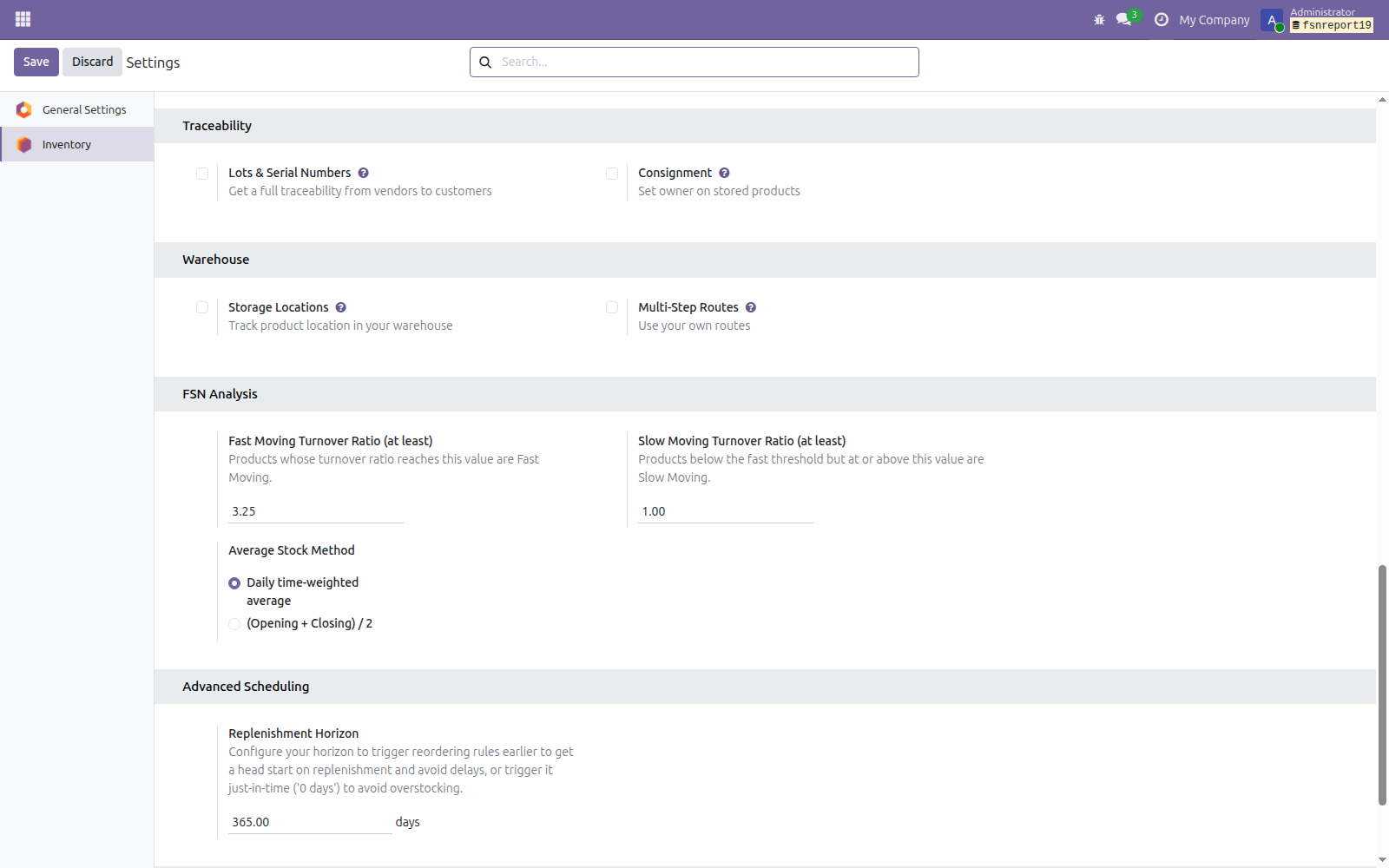
In Inventory settings, choose the Fast and Slow Moving turnover thresholds and the average-stock method. This example uses 3.25 and 1.00 with a daily time-weighted average.
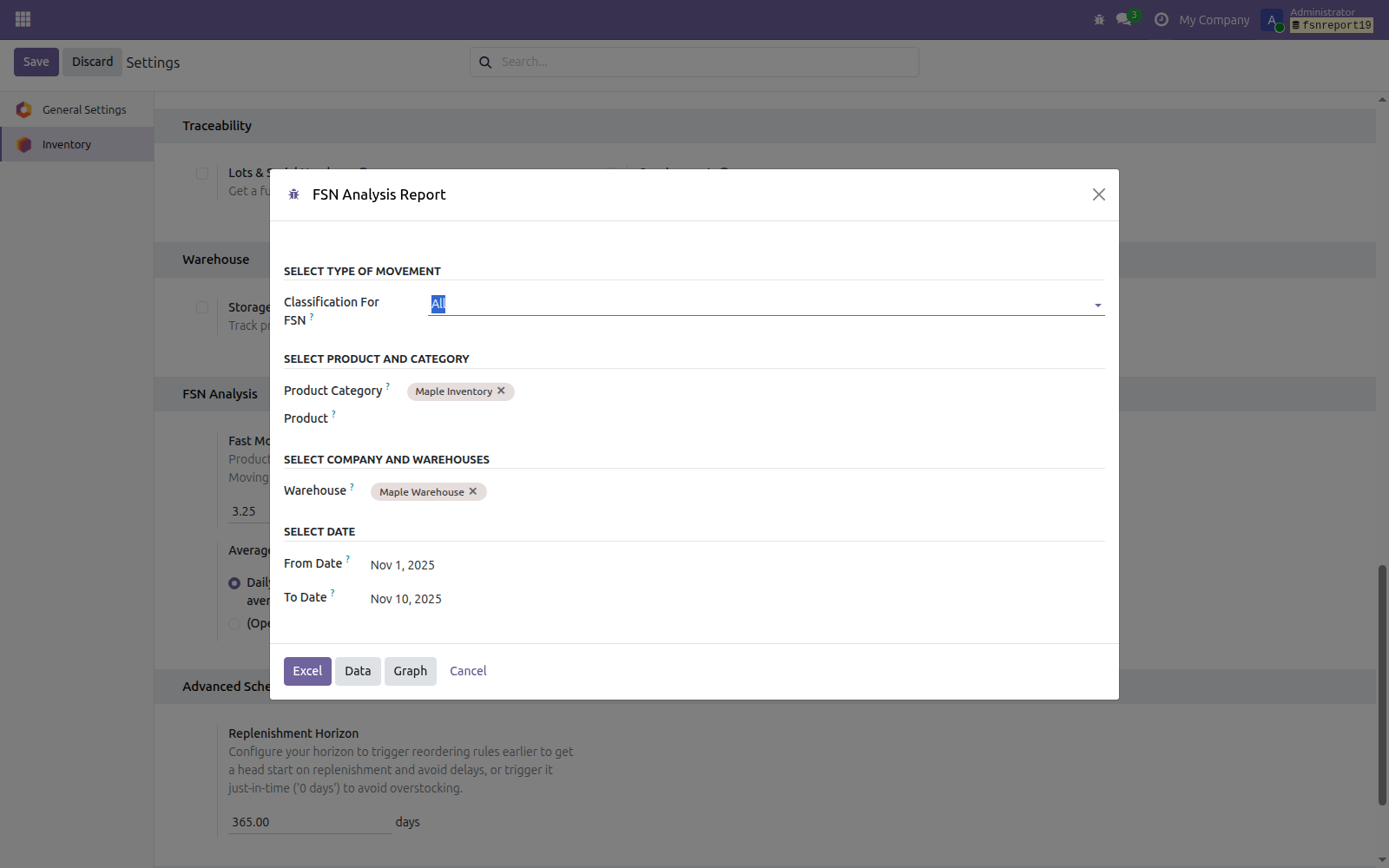
Open Inventory â Reporting â FSN Analysis Report. Select Maple Warehouse, the Maple Inventory category, and November 1â10. Keep Classification For FSN on All to compare every class.
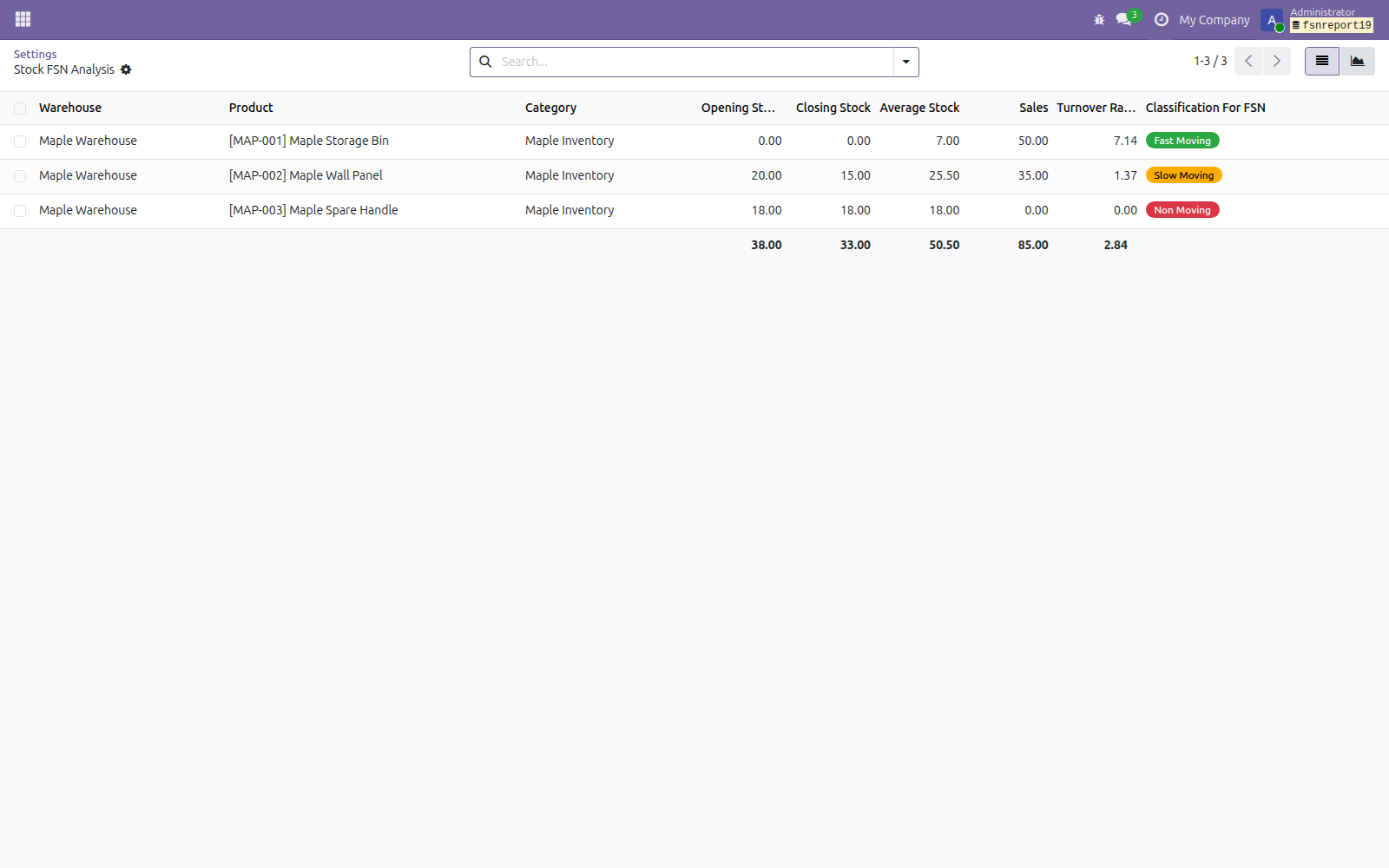
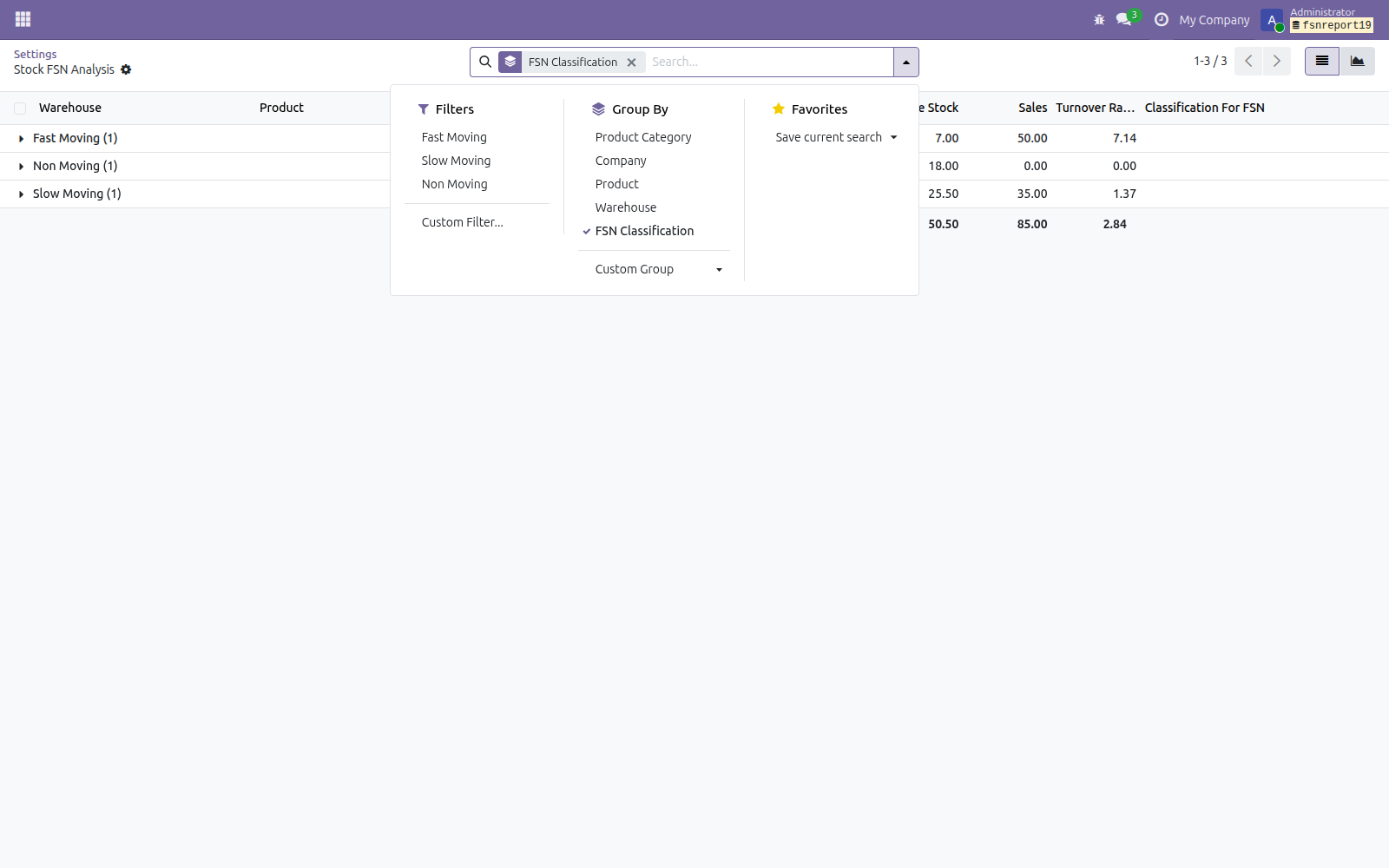
Select Data. Maple Storage Bin is Fast Moving at 7.14, Maple Wall Panel is Slow Moving at 1.37, and Maple Spare Handle is Non Moving with 18 units on hand.
Open the search menu and choose FSN Classification under Group By. Expand a class to see its products. The group shows the average turnover ratio.
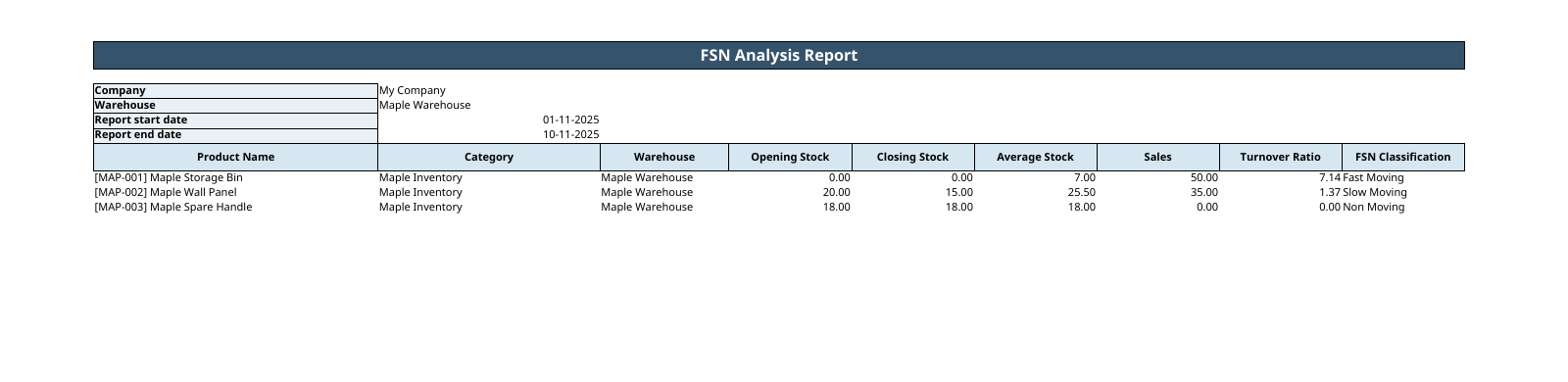
From the same filters, select Excel. The workbook includes the warehouse, opening and closing stock, average stock, net sales, turnover, and classification.
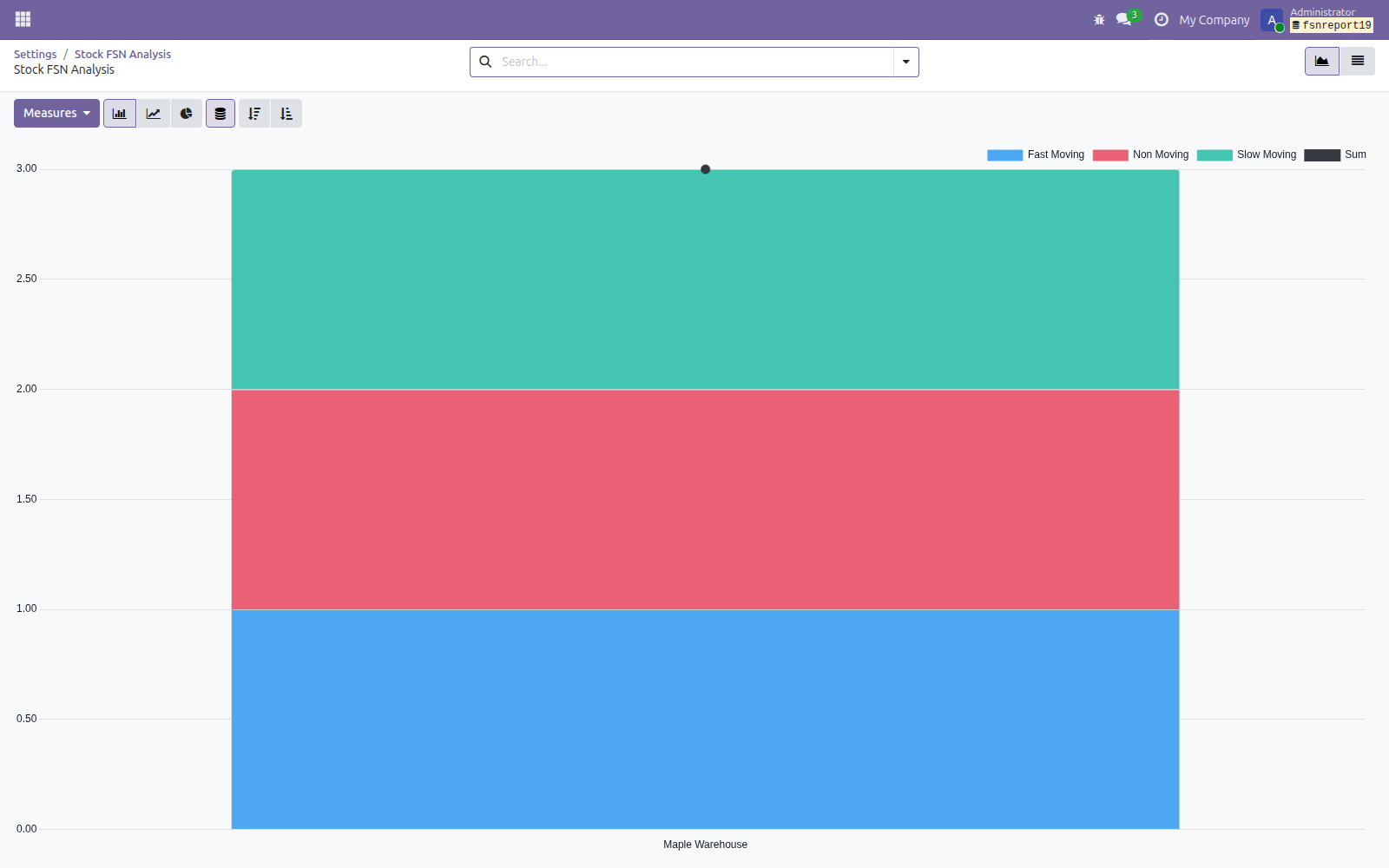
Reopen the wizard with the same filters and choose Graph. The bar chart shows the product count for each classification in the warehouse.
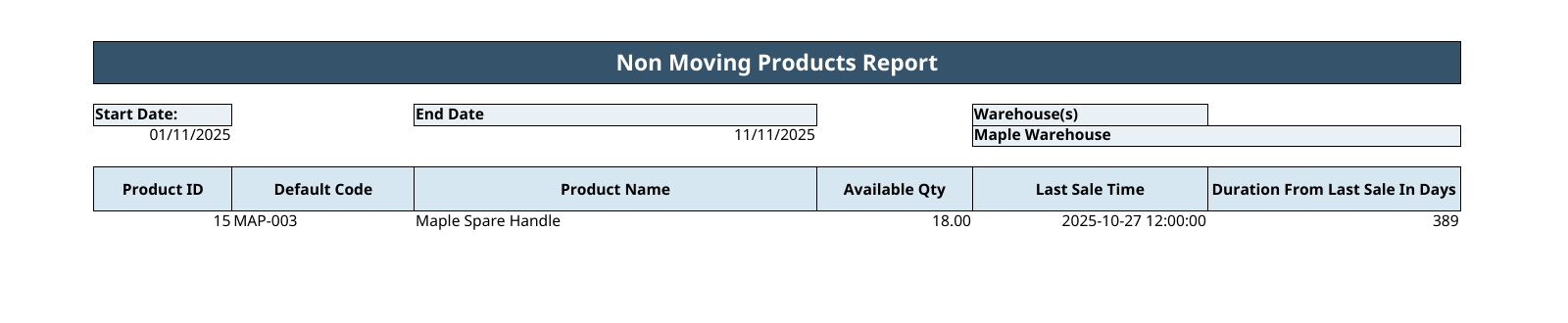
Open Inventory â Reporting â Non Moving Products. Choose the warehouse and exact start and end times. The end time is exclusive.
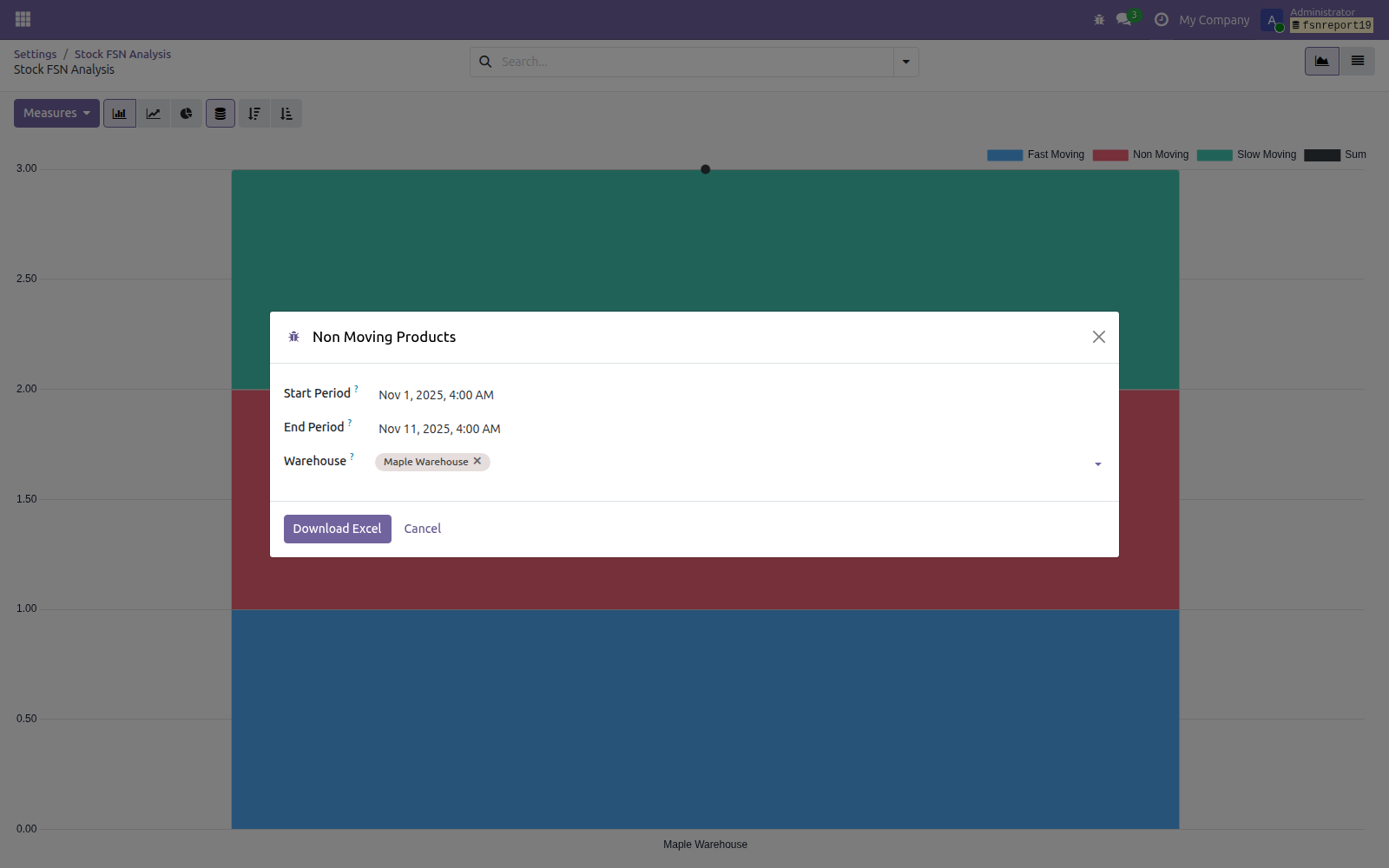
Select Download Excel. Maple Spare Handle had no net sales during the selected period. The workbook shows 18 units at the end time and its last delivery before the period.
Legal
Odoo Proprietary License v1.0 This software and associated files (the "Software") may only be used (executed, modified, executed after modifications) if you have purchased a valid license from the authors, typically via Odoo Apps, or if you have received a written agreement from the authors of the Software (see the COPYRIGHT file). You may develop Odoo modules that use the Software as a library (typically by depending on it, importing it and using its resources), but without copying any source code or material from the Software. You may distribute those modules under the license of your choice, provided that this license is compatible with the terms of the Odoo Proprietary License (For example: LGPL, MIT, or proprietary licenses similar to this one). It is forbidden to publish, distribute, sublicense, or sell copies of the Software or modified copies of the Software. The above copyright notice and this permission notice must be included in all copies or substantial portions of the Software. THE SOFTWARE IS PROVIDED "AS IS", WITHOUT WARRANTY OF ANY KIND, EXPRESS OR IMPLIED, INCLUDING BUT NOT LIMITED TO THE WARRANTIES OF MERCHANTABILITY, FITNESS FOR A PARTICULAR PURPOSE AND NONINFRINGEMENT. IN NO EVENT SHALL THE AUTHORS OR COPYRIGHT HOLDERS BE LIABLE FOR ANY CLAIM, DAMAGES OR OTHER LIABILITY, WHETHER IN AN ACTION OF CONTRACT, TORT OR OTHERWISE, ARISING FROM, OUT OF OR IN CONNECTION WITH THE SOFTWARE OR THE USE OR OTHER DEALINGS IN THE SOFTWARE
Terms
By purchasing an app from OdooSphere, the customer agrees to the following terms.
All payments must be completed immediately through the website checkout. Orders are processed only after successful payment confirmation from the payment provider.
After payment confirmation, the purchased module will be delivered digitally as a ZIP file through email or the customer portal, where applicable.
Each purchased app includes 90 days of free support from the purchase date.
Apps are provided for the Odoo versions mentioned on the product page. The customer is responsible for selecting the correct Odoo version before purchase.
Since apps are digital products delivered after payment, purchases are generally non-refundable. Refunds may be considered only if payment was duplicated, the ZIP file was not delivered, or the app cannot work on the listed compatible Odoo version due to a confirmed issue in the delivered module.
The purchased app is licensed for use by the purchasing customer or company. Reselling, redistributing, publishing, or sharing the module with third parties is not allowed without written permission from OdooSphere.
Free updates are not guaranteed unless specifically mentioned on the product page. Bug fixes within the 90-day support period may be provided when the issue is confirmed to be caused by the purchased app.
OdooSphere is not responsible for business losses, data loss, downtime, third-party service issues, or problems caused by incorrect installation, custom changes, or incompatible modules.
Related modules
Reviews
Logged-in users can ask questions, discuss implementation details, and rate this module. Your rating updates the app score across the marketplace.